

Norton 360 associe un moteur anti-malware solide à une suite qui grossit à chaque version. Le passage du tarif d’introduction à la rémunération standard dépasse souvent le double du prix, l’empreinte de l’app Android dépasse largement 200 Mo après le premier scan, et l’écran d’accueil commence par des cartes Genie, Scam Protection Pro et Dark Web Monitoring avant les résultats du scan. Les sept alternatives ci-dessous répondent aux cas où le bundle Norton est excessif : options gratuites plus légères, suite payante plus sobre, variété de moteurs pour sortir de la pile Symantec, et scanners à la demande qui ne restent pas en arrière-plan.
Pourquoi les utilisateurs quittent Norton 360
- Les prix de renouvellement montent fortement après la première année. Les abonnements commencés à faible coût annuel se renouvellent souvent au-dessus du prix équivalent Bitdefender ou ESET.
- La suite s’est étendue à Scam Protection Pro, Genie AI, la surveillance du dark web, un bloqueur de traceurs publicitaires et un VPN, avec des incitations constantes vers les paliers payants depuis le parcours gratuit.
- L’empreinte d’installation Android et la consommation de batterie sont au-dessus de concurrents plus légers. Les rapports mobiles récents d’AV-Comparatives ont souligné l’impact de Norton sur le temps de lancement des applis et l’autonomie.
- Le service d’accessibilité exigé pour Safe Web et App Advisor lit le contenu à l’écran. Pour un seul antivirus, beaucoup jugent cette portée difficile à justifier.
- Le VPN n’est pas disponible partout ; l’Inde a été retirée après un durcissement des règles sur la journalisation des données. Dans ces régions, on paie pour une fonctionnalité inutilisable.
- Les chemins d’achat se chevauchent entre l’abonnement Google Play, le site Norton et les offres partenaires. Renouveler sur un autre canal que l’achat initial a nourri des plaintes pour doubles débits sur les forums.
- L’interface mobile réemploie le langage marketing du bureau. Les utilisateurs qui veulent seulement un antivirus passent plusieurs écrans de cartes « suite ».
Si ces points vous parlent, voici sept alternatives à Norton 360 qui valent l’installation.
Quelle appli choisir ?
-
Bitdefender Mobile Security si la précision de détection et une faible charge sur l’appareil priment.
-
ESET Mobile Security si le téléphone est ancien ou peu doté en RAM et qu’un moteur léger est la priorité.
-
Avast One si un niveau gratuit généreux avec quota VPN quotidien suffit sans abonnement.
-
AVG AntiVirus si l’interface Avast paraît chargée mais que le même moteur et la protection gratuite restent attractifs.
-
Kaspersky si le moteur gratuit le plus puissant décide et que les contraintes régionales ne s’appliquent pas.
-
Malwarebytes si le besoin réel est un nettoyage à la demande d’un appareil suspect plutôt qu’une protection permanente.
-
Sophos Intercept X for Mobile si un scanner gratuit sans pub et sans compte, avec vérification des liens et authentificateur, suffit.
Restez sur Norton 360 si le foyer paie déjà Norton sur un PC Windows et qu’ajouter des mobiles aux licences existantes coûte moins cher qu’un produit mobile seul.
1. Bitdefender Mobile Security — le meilleur remplacement global

Bitdefender Mobile Security est l’échange le plus proche de Norton sur la détection. Les scores AV-TEST du moteur Android restent en tête depuis plusieurs années : notes maximales sur les échantillons zero-day et quasi pas de faux positifs. L’appli est plus légère que Norton, avec une installation plus petite et un écran d’accueil moins chargé.
L’ensemble couvre l’analyse des applis en temps réel, la protection web dans Chrome et autres navigateurs, l’anti-vol, la confidentialité des comptes et un VPN intégré plafonné à 200 Mo par jour sur l’offre standard. Norton 360 contre Bitdefender Mobile Security, c’est bundle contre focus. Norton empile protection anti-arnaques, surveillance du dark web et blocage des traceurs publicitaires. Bitdefender garde une surface étroite et fait tourner le scanner principal plus proprement.
Le compromis est le plafond du VPN intégré. 200 Mo par jour suffisent pour des contrôles ponctuels sur Wi‑Fi public, pas pour du streaming régulier. L’extension Premium VPN lève ce plafond contre un surcoût, comme Norton découpe l’accès VPN.
Avantages :
- Scores de détection AV-TEST de premier plan
- Empreinte batterie et CPU inférieure à Norton
- Account Privacy vérifie l’exposition aux fuites de données
- Écran d’accueil plus clair avec moins de cartes incitatives
Inconvénients :
- VPN intégré limité à 200 Mo par jour
- Le niveau gratuit sur Android est plus restreint que le volet gratuit de Norton
- Pas de contrôle parental dédié dans l’offre mobile
Tarifs : Niveau gratuit avec analyse à la demande. Les offres payantes débutent par un abonnement annuel raisonnable pour plusieurs appareils, avec remises pluriannuelles.
En résumé : Choisissez Bitdefender Mobile Security pour une détection directe avec une suite plus petite et une appli plus légère.
2. ESET Mobile Security — idéal pour téléphones anciens ou peu de RAM

ESET a la réputation du moteur le plus léger quand le matériel peine. L’appli Android s’installe petite, scanne vite et consomme nettement moins de RAM et de batterie que les suites Norton ou Avast. Sur Android 10 ou plus ancien avec 3 à 4 Go de mémoire, cet écart décide.
Le niveau gratuit couvre l’analyse à la demande, la protection temps réel des applis installées et un module anti-vol basique. Premium payant ajoute l’anti-phishing dans les navigateurs, le verrouillage d’applis, les scans planifiés et l’audit de sécurité. Norton 360 contre ESET Mobile Security est une question de catégorie de poids : ESET est un cran plus léger sur chaque métrique mesurable.
Le compromis est une interface sobre et l’absence de VPN intégré. Ceux qui viennent de Norton en attendant un tableau de bord unique pour VPN, blocage d’arnaques et antivirus auront besoin d’une appli VPN séparée. La force d’ESET est de bien faire un métier, pas d’empiler les fonctions voisines.
Avantages :
- RAM et batterie mesurées les plus basses parmi les grandes suites mobiles
- Protection temps réel déjà au niveau gratuit
- Interface propre sans pop-ups incitatifs au quotidien
- Solide sur les anciennes versions Android
Inconvénients :
- Aucun VPN intégré à aucun palier
- Pas d’anti-phishing navigateur au niveau gratuit
- Surveillance des fuites plus limitée que Norton
Tarifs : Gratuit avec fonctions réduites. Premium est modéré et se renouvelle au même tarif qu’à l’introduction.
En résumé : Choisissez ESET Mobile Security si le téléphone est vieux, la RAM juste et que vous voulez un antivirus sans pile de fonctions.
3. Avast One — meilleur niveau gratuit avec VPN inclus

Avast One est le renommage d’Avast Mobile Security et propose le niveau gratuit le plus large de la catégorie. La version gratuite inclut analyse antivirus à la demande et temps réel, nettoyage des fichiers inutiles, conseiller confidentialité et quota VPN quotidien — rare sans payer. Le volet gratuit de Norton est beaucoup plus étroit, essentiellement le scanner de base.
Avast One Premium payant supprime le plafond VPN, ajoute la surveillance du dark web et les alertes de fuites de données. Norton 360 contre Avast One est une comparaison de paliers tarifaires. Avast One Premium renouvelle généralement moins cher que Norton 360 Standard pour le même nombre d’appareils, et le gratuit couvre déjà une grande partie de ce que Norton facture.
Le compromis est la taille de la suite. Avast One copie la stratégie Norton d’empiler des fonctions adjacentes, donc l’appli est plus lourde que Bitdefender ou ESET. L’historique de partage de données de la maison mère d’Avast reste un point de vigilance pour les utilisateurs sensibles à la vie privée, même si la société a fermé la filière broker Jumpshot il y a plusieurs années.
Avantages :
- Niveau gratuit large avec quota VPN quotidien
- Scan temps réel côté gratuit
- Renouvellement moins cher que Norton pour un même nombre d’appareils
- Nettoyage et conseiller confidentialité inclus
Inconvénients :
- Empreinte plus grande que les antivirus ciblés
- Bilan vie privée de la maison mère mitigé
- Incitations fréquentes dans le parcours gratuit
Tarifs : Gratuit avec protection étendue. Premium débloque VPN illimité et surveillance des fuites via abonnement annuel.
En résumé : Choisissez Avast One si un niveau gratuit avec quota VPN réel et scan temps réel complet fait la différence.
4. AVG AntiVirus — la variante plus calme d’Avast

AVG repose sur le même moteur qu’Avast mais livre une interface plus posée. Même niveau de détection, mêmes outils de nettoyage, moins de marketing dans l’appli. Si le profil de protection Avast convenait mais que l’accueil paraissait chargé, AVG est le même produit avec le volume baissé.
Le gratuit couvre l’analyse antivirus, la vérification des liens via Web Shield, le coffre photos et l’audit des permissions. AVG AntiVirus Pro payant ajoute le verrouillage d’applis, le piège photo anti-vol, la sécurité Wi‑Fi et supprime les pubs in-app. Norton 360 contre AVG AntiVirus est une préférence d’interface autour du même moteur ; AVG garde la mise en page la plus simple.
Le compromis est la parité fonctionnelle avec Avast One. Tout ce qu’Avast fait, AVG le fait aussi, mais le bundle diffère légèrement et AVG n’intègre pas de VPN, même payant. Il faut un VPN séparé pour rejoindre le même résultat global que Norton 360.
Avantages :
- Même moteur qu’Avast One avec moins de bruit visuel
- Le gratuit couvre scan, Web Shield et coffre photos
- Empreinte CPU plus faible que la variante « suite »
- Marque ancienne avec mises à jour régulières
Inconvénients :
- Pas de VPN intégré à aucun palier AVG
- Verrouillage d’applis et sécurité Wi‑Fi réservés au payant
- Moins de fonctions de surveillance des fuites que Norton
Tarifs : Gratuit avec publicités. L’abonnement annuel AVG AntiVirus Pro retire les pubs et ajoute les fonctions payantes.
En résumé : Choisissez AVG AntiVirus si le moteur Avast plaît mais que l’interface doit être plus calme, et qu’un VPN séparé est acceptable.
5. Kaspersky — moteur gratuit le plus puissant, avec réserves

Le moteur mobile de Kaspersky se classe souvent en tête des tests indépendants avec très peu de faux positifs. Le gratuit Android inclut analyse temps réel, anti-phishing sur les liens et filtrage d’appels ; les offres Plus et Premium payantes ajoutent alertes d’usurpation d’identité, fonctions de gestionnaire de mots de passe et VPN. Face au gratuit Norton, celui de Kaspersky est nettement plus complet.
Norton 360 contre Kaspersky mélange marque et technique d’un côté, réglementation de l’autre. Sur la détection brute, Kaspersky a souvent l’avantage. Côté politique : usage fédéral limité aux États-Unis, retrait de plusieurs marchés publics en Europe, sensibilité à l’origine nationale pour certains utilisateurs. Rien de tout cela ne change la détection sur l’appareil, mais cela change le calcul de confiance.
Le compromis est précisément ce profil réglementaire. Dans les environnements réglementés ou si vous suivez les avis fédéraux, prenez un autre moteur. La détection technique reste parmi les meilleures.
Avantages :
- Scan gratuit et anti-phishing de premier plan
- Faible taux de faux positifs dans les tests indépendants
- Filtre d’appels et vérificateur de liens côté gratuit
- Offres payantes avec gestionnaire de mots de passe et VPN
Inconvénients :
- Restreint pour l’usage fédéral américain et certains marchés publics
- Sensibilité de marque pour une partie des utilisateurs
- Incitations fréquentes vers Plus et Premium
Tarifs : Gratuit avec protection solide. Plus et Premium ajoutent identité, VPN et mots de passe.
En résumé : Choisissez Kaspersky si la détection brute sans coût prime et que le contexte réglementaire ne vous concerne pas.
6. Malwarebytes — idéal pour nettoyer un appareil suspect
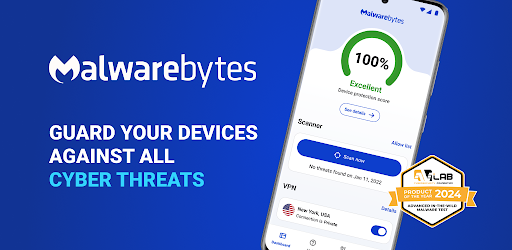
Malwarebytes s’est fait un nom en nettoyant des PC Windows que d’autres outils laissaient passer. La version Android suit : analyses profondes à la demande centrées sur les adwares, stalkerware et menaces qui échappent aux moteurs généralistes. Si le téléphone se comporte bizarrement après un sideload ou un lien douteux, Malwarebytes est l’outil de second avis ciblé.
Le gratuit se limite à l’analyse à la demande. Premium payant ajoute protection temps réel, protection web anti-phishing et bloqueur de pubs intégré pour Chrome et autres navigateurs. Norton 360 contre Malwarebytes oppose deux philosophies : Norton est une surveillance permanente ; Malwarebytes est un spécialiste du nettoyage qui propose aussi un palier surveillance.
Le compromis est l’ensemble de fonctions plus étroit. Pas de VPN intégré, pas de surveillance des fuites ni de filtre d’appels frauduleux. Ceux qui veulent la réponse « tout-en-un » de Norton trouveront Malwarebytes trop focalisé.
Avantages :
- Très fort sur adware et stalkerware
- Le scan gratuit à la demande est réellement utile
- Premium ajoute protection temps réel et bloqueur de pubs
- Marque indépendante historique
Inconvénients :
- Pas de protection temps réel au gratuit
- Pas de VPN, surveillance des fuites ou filtre d’appels intégrés
- Présence labo plus faible que Bitdefender ou Norton
Tarifs : Analyse à la demande gratuite. L’abonnement Premium débloque protection temps réel et web.
En résumé : Choisissez Malwarebytes pour inspecter et nettoyer un appareil suspect ou empiler un second avis à côté du moteur principal.
7. Sophos Intercept X for Mobile — meilleure option gratuite sans compte

Sophos Intercept X for Mobile convient quand les offres payantes, les comptes et les publicités sont exclus. L’appli vient de Sophos, éditeur orienté entreprise, et est entièrement gratuite pour un usage personnel sans achats intégrés ni pubs. Elle inclut analyse des applis en temps réel, filtrage web anti-phishing, contrôle de réputation Wi‑Fi et authentificateur intégré.
Un authentificateur gratuit seul est rare et joue le même rôle que Google Authenticator — pratique pour regrouper les outils. Norton 360 contre Sophos Intercept X for Mobile oppose bundle payant et outil gratuit. Norton offre plus de surface ; Sophos livre l’essentiel mobile sans paiement, sans flux d’upsell et sans télémétrie liée à votre identité personnelle.
Le compromis est l’absence de fonctions avancées : pas de VPN, pas de surveillance du dark web, pas de filtre d’appels frauduleux. L’interface est clairement héritée du monde entreprise, avec un vocabulaire parfois plus pro d’un poste professionnel que personnel.
Avantages :
- Totalement gratuit sans pubs ni upsells
- Scan temps réel, filtrage web et contrôle Wi‑Fi
- Authentificateur intégré pour codes à deux facteurs
- Porté par un fournisseur de sécurité entreprise
Inconvénients :
- Pas de VPN, dark web ni filtre d’appels frauduleux
- Interface de style entreprise
- Moins connu hors IT professionnel
Tarifs : Gratuit.
En résumé : Choisissez Sophos Intercept X for Mobile pour une protection réelle sans coût, sans compte, sans pubs et sans upsell.
Comment choisir
Choisissez Bitdefender Mobile Security si la précision de détection et une appli plus légère décident. Le coût annuel au renouvellement est inférieur à Norton et l’accueil n’empile pas les cartes incitatives.
Choisissez ESET Mobile Security si le téléphone est ancien ou à RAM limitée. C’est le moteur le plus léger de cette liste et l’impact batterie est le plus faible dans les mesures indépendantes.
Choisissez Avast One si un niveau gratuit large avec quota VPN quotidien suffit. Le palier Premium est aussi en dessous de Norton pour un même nombre d’appareils.
Choisissez AVG AntiVirus si le moteur Avast plaît mais que l’interface Avast One paraît chargée. Sous le capot, c’est le même produit avec une surface plus calme.
Choisissez Kaspersky si la détection brute sans frais prime et que le cadre réglementaire ne s’applique pas. Le gratuit est le plus solide de la catégorie sur la qualité de moteur.
Choisissez Malwarebytes pour un nettoyage ponctuel d’un appareil suspect ou pour ajouter un second avis à côté du scanner principal.
Choisissez Sophos Intercept X for Mobile lorsque les offres payantes, les pubs et les comptes sont hors jeu et qu’un scanner gratuit temps réel suffit.
Restez sur Norton 360 si le foyer utilise déjà Norton sur un PC Windows et qu’ajouter des mobiles aux sièges existants coûte moins cher qu’un abonnement mobile séparé.
FAQ
Bitdefender est-il meilleur que Norton 360 sur Android ? Sur la précision de détection et l’impact batterie, Bitdefender Mobile Security a souvent mieux noté que Norton 360 dans les rounds mobiles récents d’AV-TEST et d’AV-Comparatives. Norton gagne en ampleur du bundle (anti-arnaques, dark web, VPN plus généreux), mais la qualité centrale du scan penche vers Bitdefender.
Quelle est la meilleure alternative gratuite à Norton 360 ? Pour une protection temps réel complète en gratuit, Avast One offre la couverture la plus large, avec quota VPN quotidien. Sophos Intercept X for Mobile est gratuit sans pubs et inclut filtrage web et authentificateur. Kaspersky a le moteur gratuit le plus puissant en détection brute.
Les téléphones Android ont-ils vraiment besoin d’un antivirus ? Les Android récents avec Google Play Protect bloquent déjà la plupart des applis malveillantes connues du Play Store. Les antivirus ajoutent de la valeur sur APK sideloadés, liens de phishing, PDF malveillants et stalkerware, ainsi que filtrage d’appels frauduleux et surveillance des fuites que Play Protect ne couvre pas.
Quelle est l’alternative la moins chère à Norton 360 ? Sophos Intercept X for Mobile est entièrement gratuit pour un usage personnel. ESET Mobile Security et Bitdefender Mobile Security renouvellent généralement moins cher que Norton 360 pour le même nombre d’appareils.
Puis-je importer les réglages de Norton 360 vers une autre appli antivirus ? Les réglages ne s’exportent pas entre éditeurs. Chaque appli se configure séparément — souvent quelques minutes. L’annulation d’abonnement doit passer par le canal d’achat d’origine, en général Google Play ou le site Norton.
Malwarebytes suffit-il seul ? Le gratuit est uniquement à la demande, donc insuffisant comme unique protection. Premium ajoute analyse temps réel et protection web et constitue un choix autonome crédible, surtout si vous faites déjà confiance à la marque sur bureau.


